
Publish and compare versions
Review checks and example impact before you make a request type available.
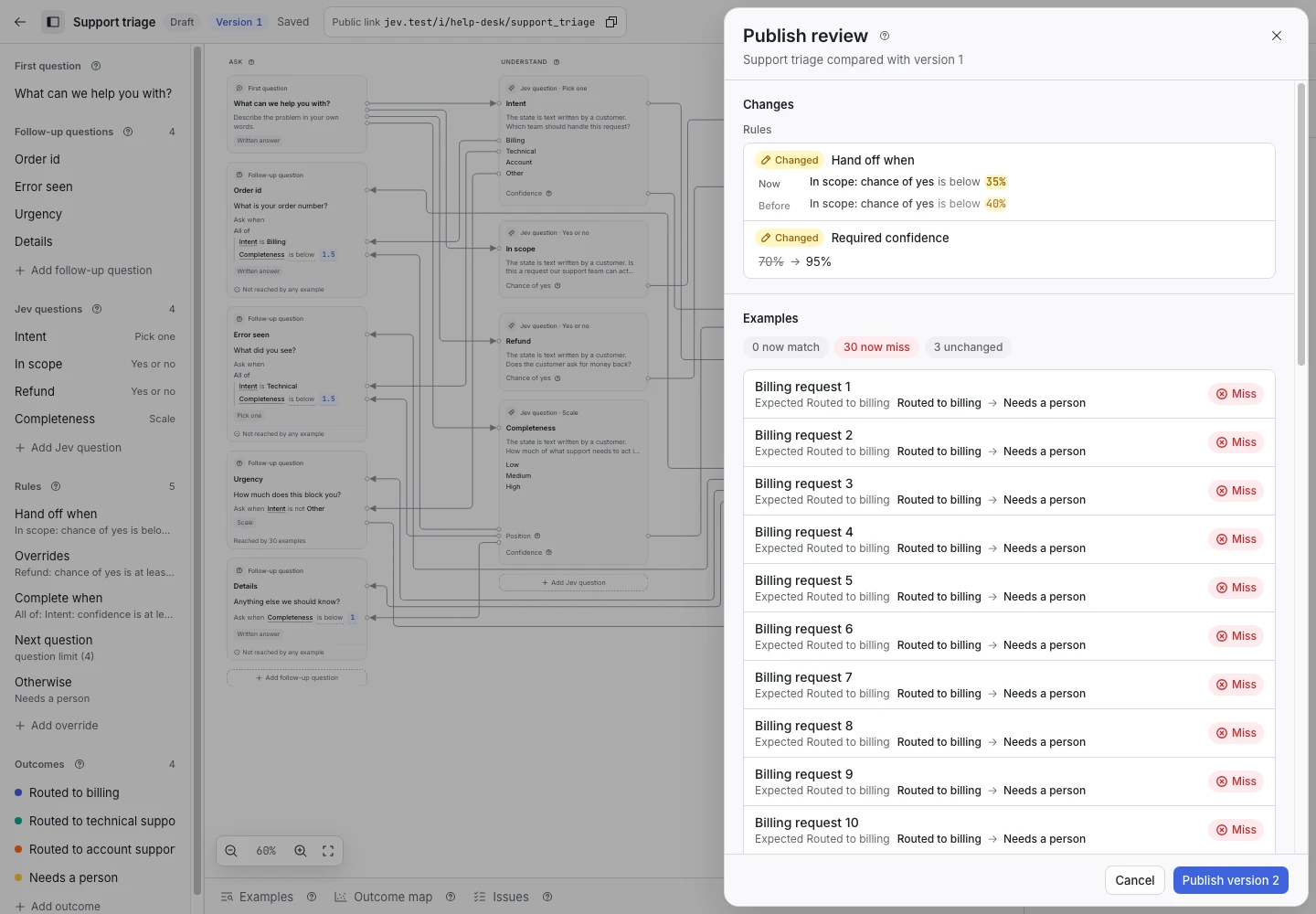
Product screen with sample data. Intake is the previous working name.
Review the draft
- Select Publish in the editor.
- Read the changes.
- Review the examples that now match or miss.
- Resolve each blocking check.
- Confirm the Jev model.
- Select the button to publish the numbered version.
A published version contains the exact questions, rules, outcomes, summary template, and model pin that requests will use.
Understand version behavior
Published versions do not change. A new request uses the current published version. An existing request keeps the version it started with.
Continue editing in the draft to prepare a later version. A draft change does not change live requests.
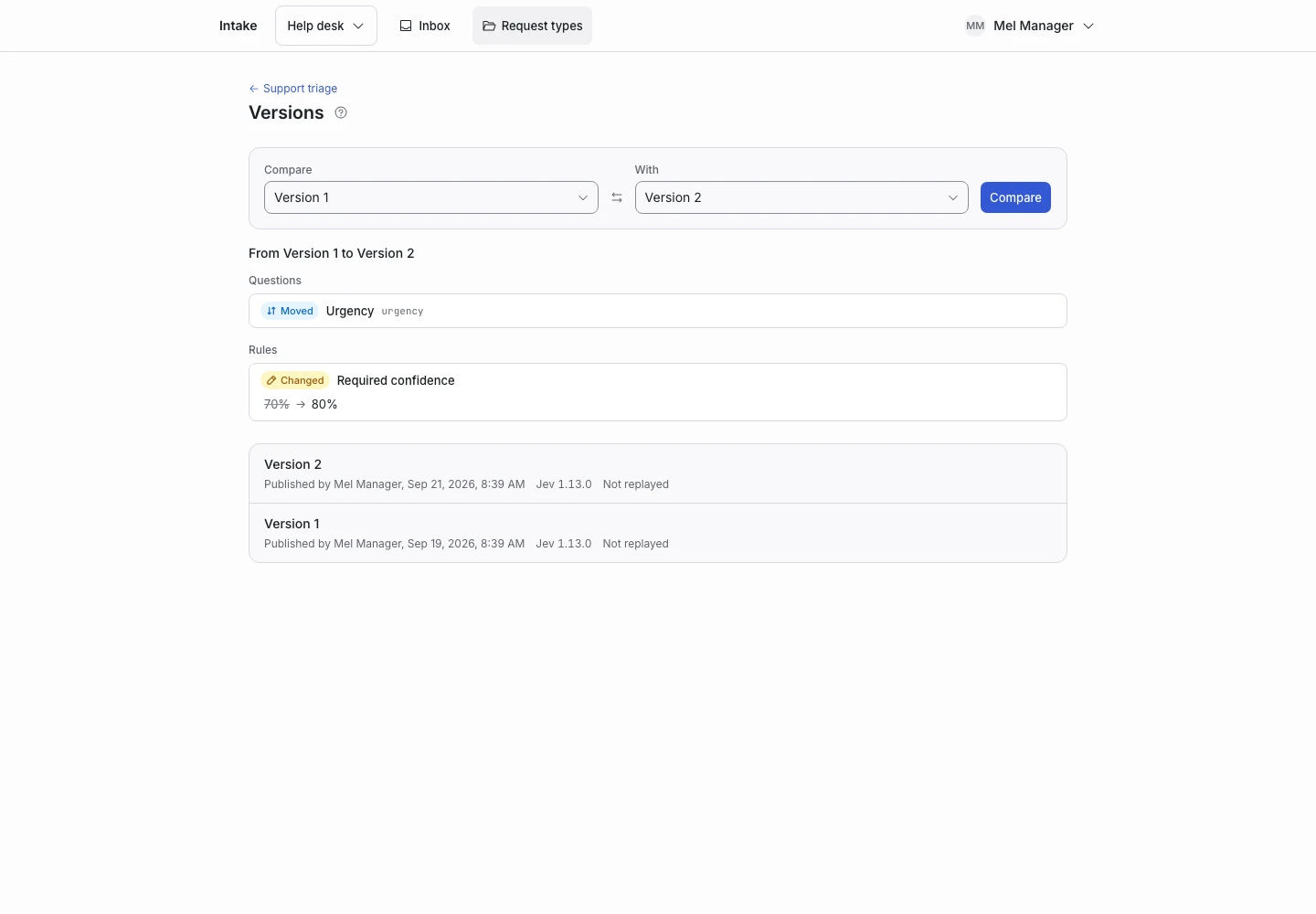
Compare versions
- Open the version list.
- Choose the two versions.
- Open the comparison.
- Review the changed fields.
- Inspect a version in the read-only editor if you need more context.
Change the model
The model pin belongs to the version. Changing it needs a new version and fresh checks.
Replay your examples with the new model before you publish. Do not assume that a model update gives the same judgments.
Archive a request type
Archive stops new requests for that type. It keeps published versions and existing requests.
Use restore to make the type available again. Check the hosted-link setting before you share its public link.
When publication fails
Read the issue details and return to the named field. If the draft changed while the review was open, reopen the review so you approve the current draft.