
Check examples and replay
Compare expected outcomes with the decisions your draft or published version makes.
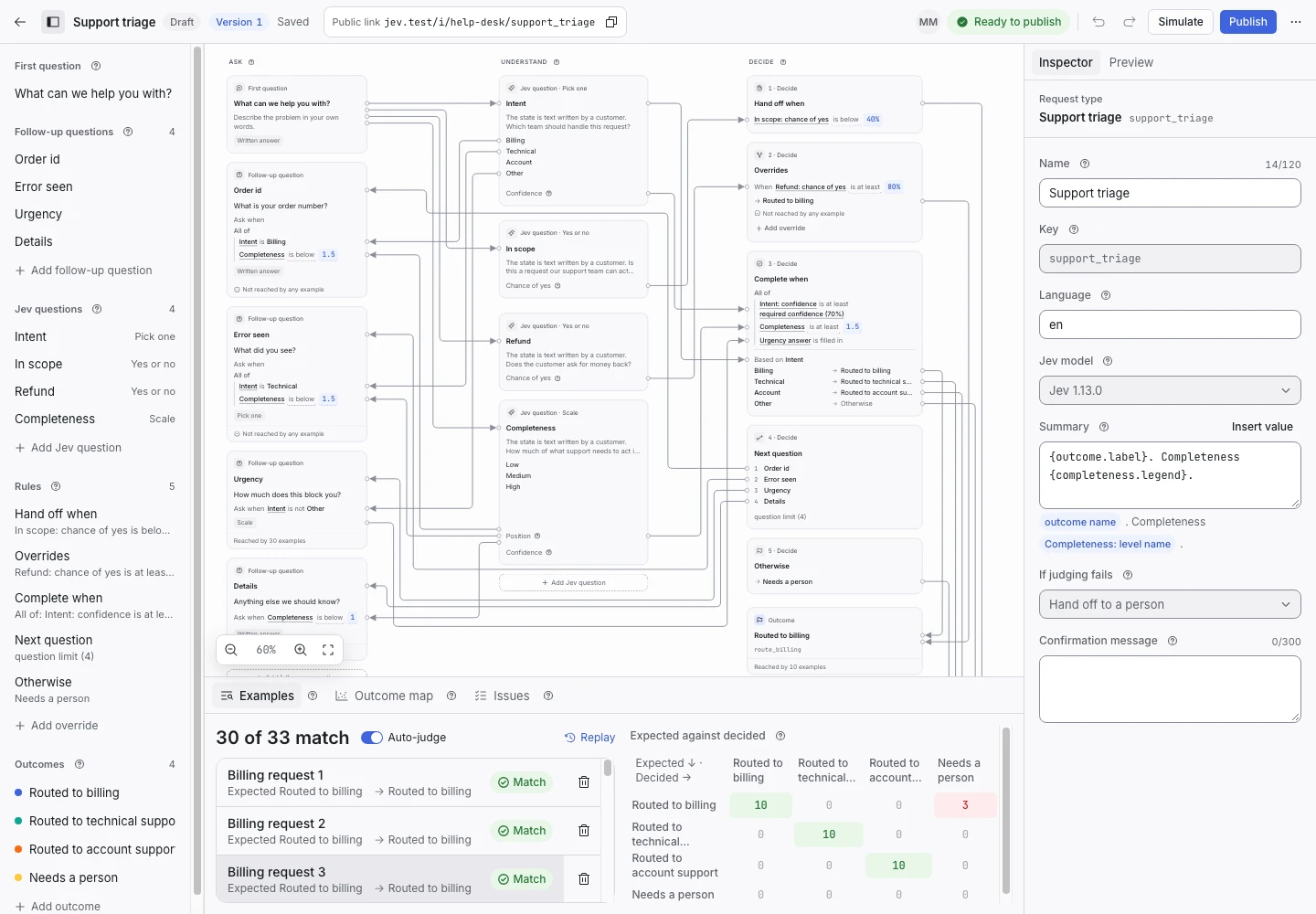
Product screen with sample data. Intake is the previous working name.
Add an example
An example stores answers and an expected outcome. It helps you check whether a rule change has the intended effect.
- Open Examples.
- Add sample answers.
- Select the expected outcome.
- Save the example.
- Check the decided outcome.
A manager can also open a finished request and use Save as example. Review its text first. An example can outlive the original request’s retention period.
Read the comparison
The match count shows how many examples reached their expected outcomes. The expected-against-decided grid shows where outcomes differ.
Select a mismatch to inspect its decision path. Determine whether the rule, the criterion, or the expected outcome needs a change.
A high match count only describes the examples you supplied. Add difficult cases and boundary cases.
Run a replay
A replay checks all selected examples through the real decision loop.
- Open the request type’s Replay page.
- Choose a draft or published version.
- Choose saved judgments or Fresh from Jev.
- Start the replay.
- Wait for it to finish.
- Inspect each mismatch and incomplete example.
A draft must pass the publish checks before replay.
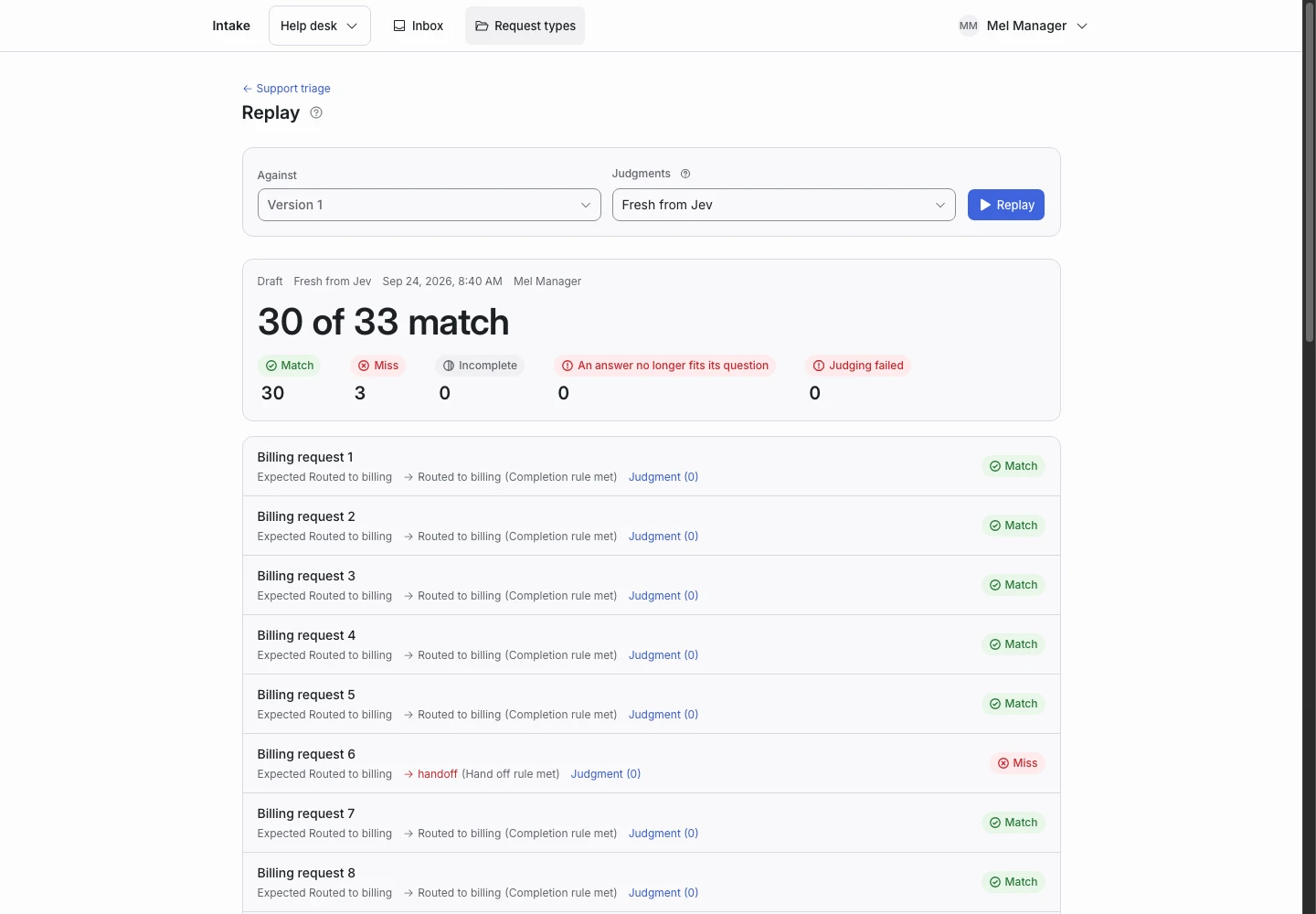
Choose the judgment mode
Saved judgments let you recheck decision changes without another model call when matching judgments exist.
Fresh mode calls Jev through your TypeSafe account. Use it when the criteria or model changed, or when you need new judgments.
If a new path needs an answer the example does not contain, the replay reports an incomplete example. Add the missing answer before you rely on that test.
Keep examples useful
Use short, specific sample text. Include the requests your team sees and the failures you want to prevent. Keep a clear expected outcome for each example.