
Start from a template or Blank
Choose a starting document, then test every rule against your own service.
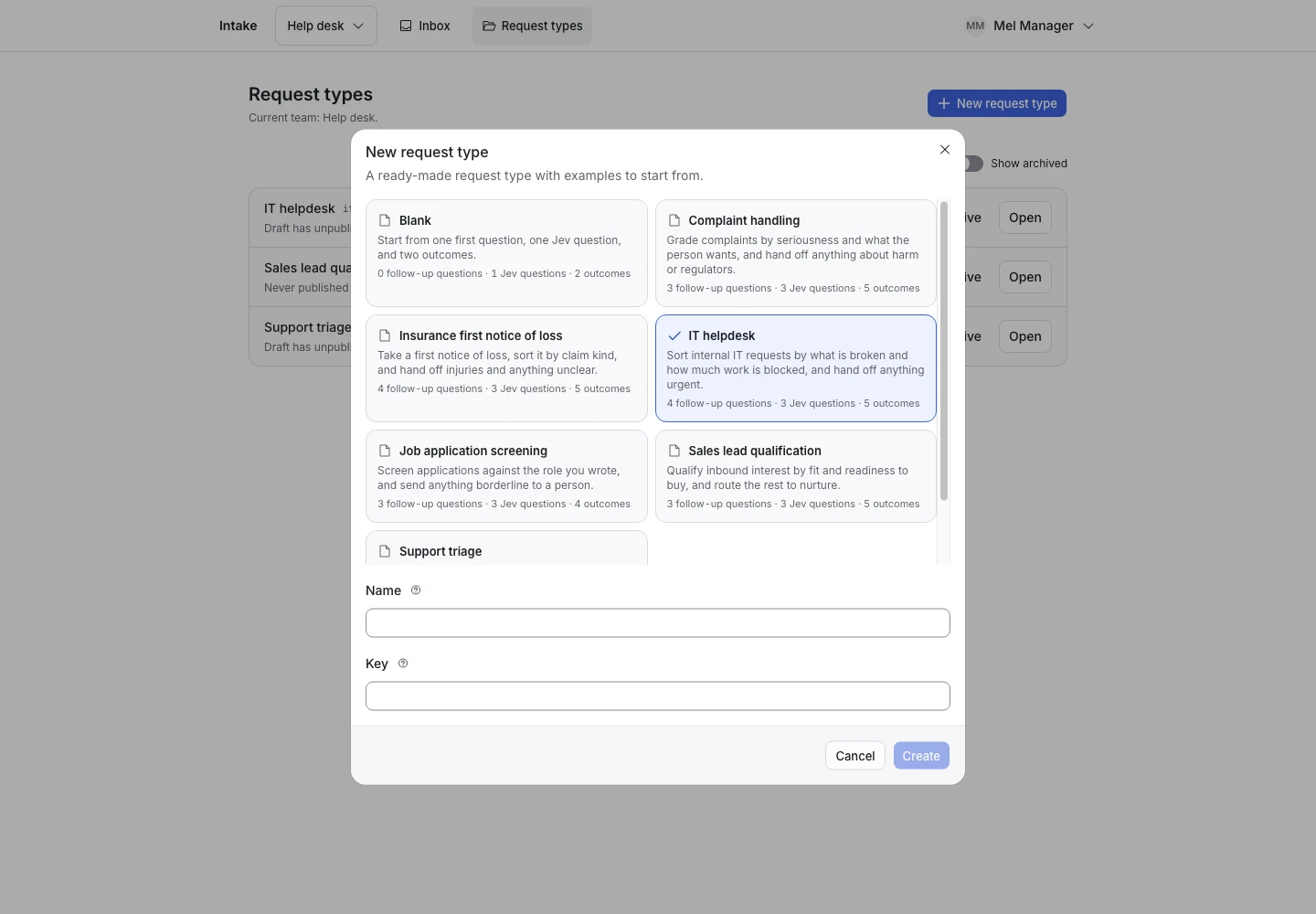
Product screen with sample data. Intake is the previous working name.
Choose a starting point
The product includes these template keys:
| Template key | Intended starting point |
|---|---|
support_triage |
Sort support requests. |
sales_lead |
Check a sales enquiry. |
it_helpdesk |
Collect an IT support request. |
job_application |
Collect application details for review. |
insurance_fnol |
Collect first notice of a claim. |
complaint_handling |
Collect and sort a complaint. |
A template supplies questions, criteria, rules, outcomes, and sample examples. It is a starting document. Your team must review it before use.
Create from a template
- Open New request type.
- Select a template.
- Enter the request type name.
- Select Create.
- Check each question and criterion.
- Test the examples.
- Replace the service-specific text before publication.
Do not assume the sample rules fit your policies.
Start from Blank
Use Blank when none of the templates fits. The setup guide walks you through the first question, Jev questions, outcomes, and rules.
For facilities intake, you can start with a Topic criterion that distinguishes Repair, Cleaning, and Other. Add a Location follow-up. Require a location before completion. Keep Needs a person as the fallback.
Test sensitive decisions
For employment or claims intake, use the software to collect and sort requests for a person to review. Do not treat a template as a policy, an expert opinion, or proof that an automated decision is appropriate.
Continue
Follow the quick start, then review examples and replay.