
Set decision rules
Use the rule builder to choose a follow-up question, an outcome, or a handoff to a person.
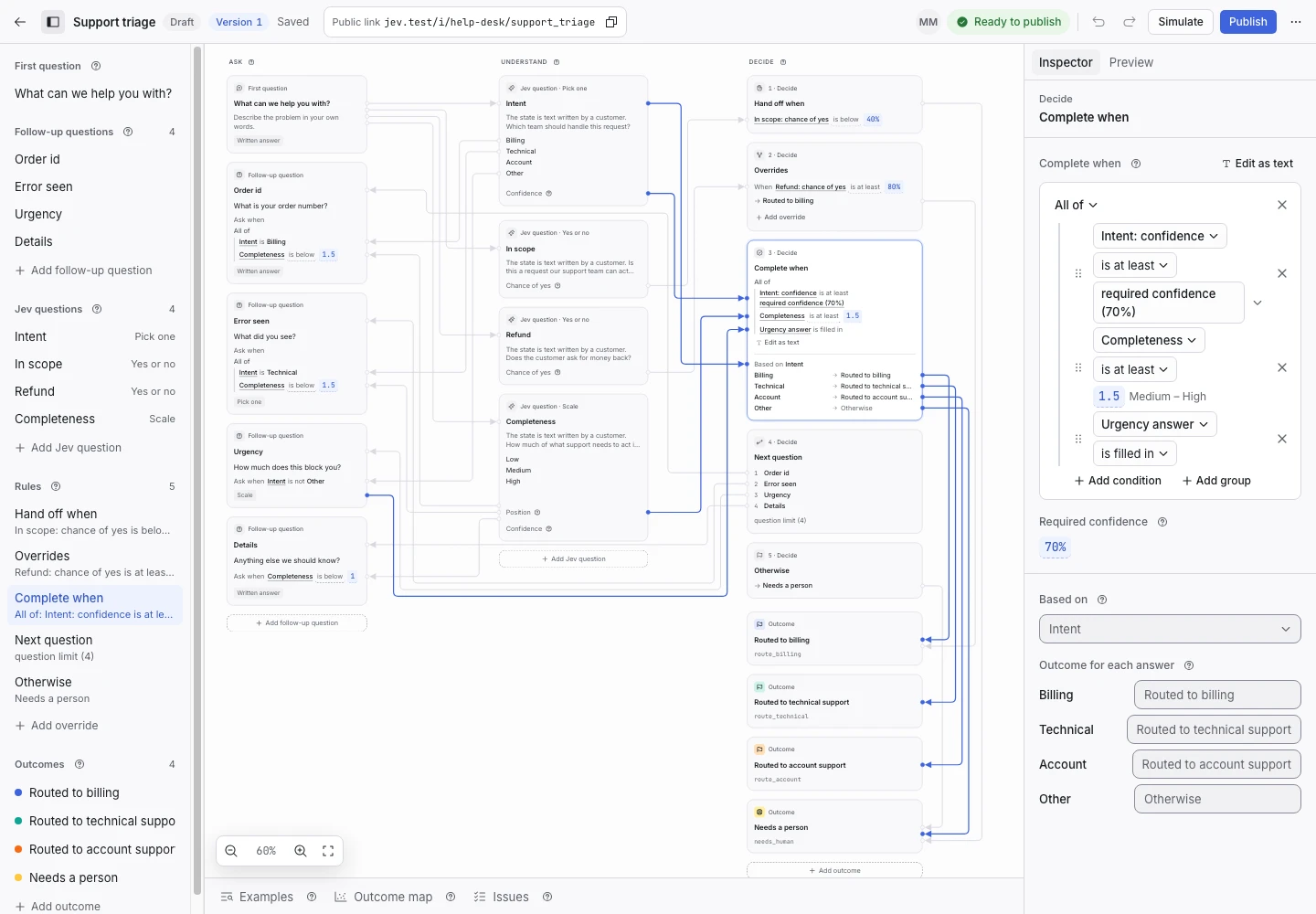
Product screen with sample data. Intake is the previous working name.
Build a rule with menus
- Select a rule in Decide.
- Select Add condition.
- Choose the answer or Jev value.
- Choose a comparison.
- Set the value.
- Choose whether all or any conditions must match.
You can use the text editor for advanced expressions. The issue checker reports unknown names and invalid values.
Understand the decision order
The order of rules affects the outcome. With the default order, ClientStack checks Hand off when before overrides. It then checks completion, the next eligible question, and the fallback.
If you enable Overrides before handoff, an override can take priority over a handoff condition. Review that change with examples before publication.
The question limit can stop the request. Keep a clear fallback for a request that cannot reach a mapped outcome.
Set a human handoff
Use Hand off when for requests that need judgment from a person. For example, hand off if the request appears outside the service scope.
Do not use a confidence threshold without testing. A threshold that works for one criterion may fail for another.
Set completion
Complete when states when the request has enough information for an outcome. The outcome map then links the selected answer to an outcome code.
Include any required applicant details in the completion rule. This prevents a request from completing before it contains the information your team needs.
Use overrides with care
An override sets an outcome when its condition matches. Ordered overrides stop at the first match.
- Write a narrow override condition.
- Add examples that should match.
- Add examples that should not match.
- Test its position relative to handoff.
- Review the changed outcomes before publication.
Confirm the reason
Run a simulation and read the decision path. Find the clause that matched. If you cannot explain the outcome from that trace, revise the rule or its criterion.