
Understand a decision
Read the reason, answers, and judgments behind a completed request or human handoff.
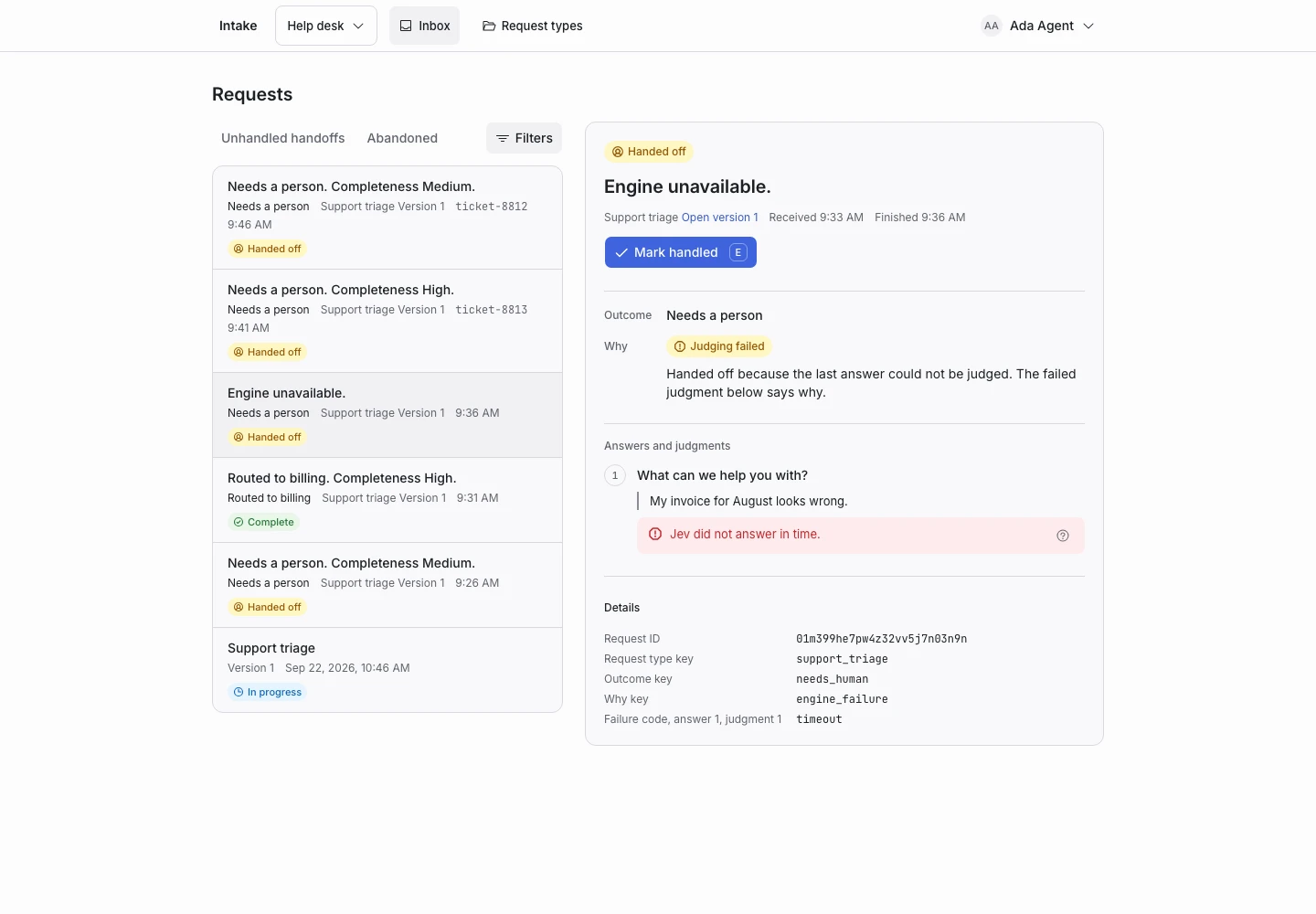
Product screen with sample data. Intake is the previous working name.
Read the reason first
Open a request in the inbox. Find Why near the outcome.
The reason identifies the decision path. It can show a handoff condition, an override, a mapped outcome, a question limit, or an engine failure.
For example, a request can need a person because the scope probability fell below your threshold.
Inspect each step
- Find the applicant’s first answer.
- Read the judgment below it.
- Compare the values with the rule’s thresholds.
- Continue through the remaining answers.
- Find the step that produced the final verdict.
The original answer remains separate from the model judgment. Do not treat the summary as a replacement for the original text.
Open the published version
Use the request’s version link to inspect the rules that applied. The current draft can differ from those rules.
Every request keeps its starting version. A later publication does not rewrite the decision record.
When judging failed
A failed judgment names a failure code and has no invented values. With the default failure behavior, ClientStack hands the request to a person.
Read the installation health report if failures repeat. Avoid changing a decision threshold to hide a service connection problem.
Save a useful example
A manager can use Save as example and set the outcome the team expected. Include examples that reveal a real rule problem.
Check the privacy implications before saving applicant text as an example. Examples do not follow normal request retention.