
Create a team API token
Give your integration the minimum permissions it needs and keep its token on your server.
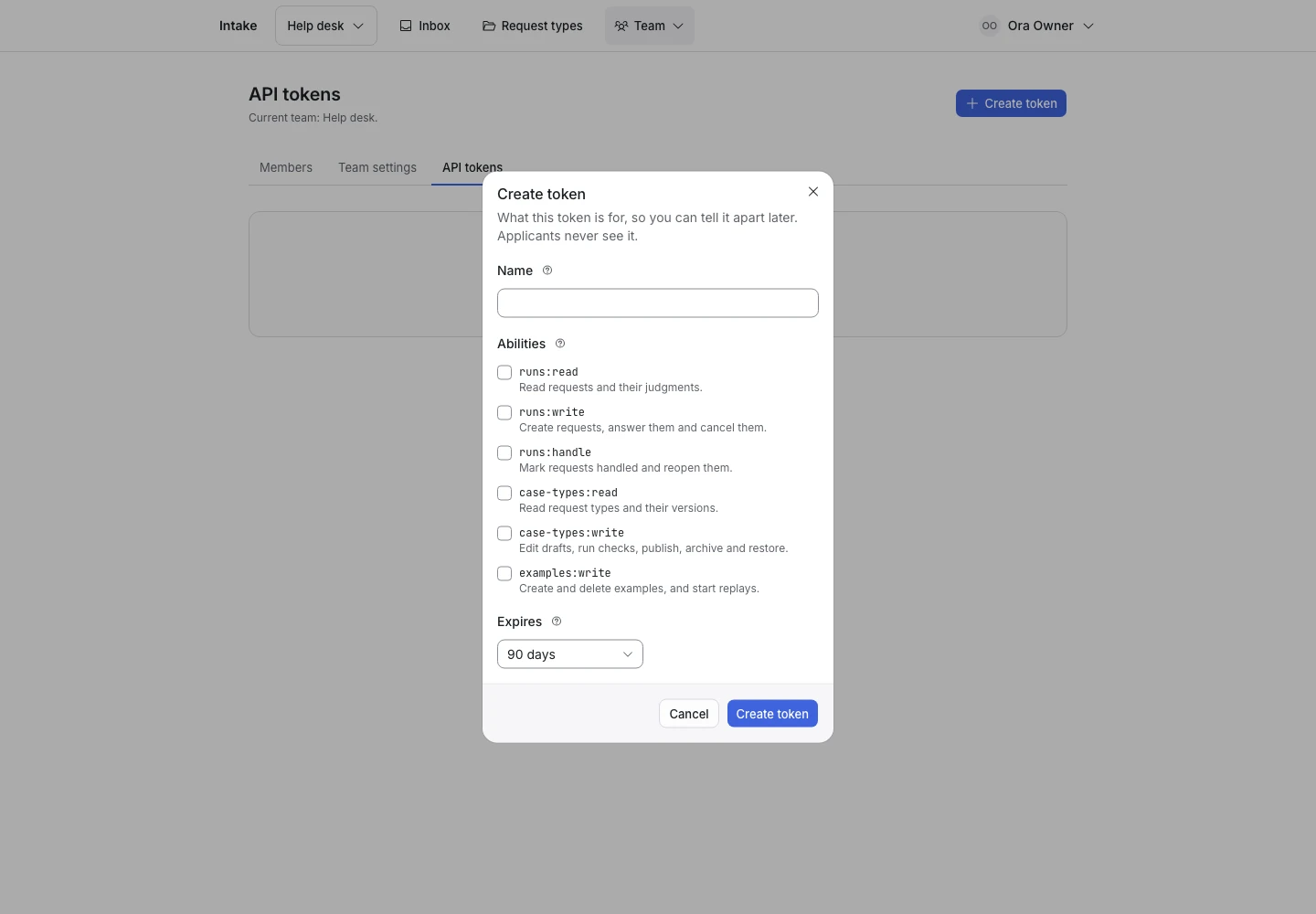
Product screen with sample data. Intake is the previous working name.
Before you start
Sign in as an owner of the correct team. Each API token belongs to that team. It cannot read or change another team’s content.
A team token is separate from the installation’s TypeSafe API key.
Create the token
- Open the team’s API token page.
- Select the create action.
- Enter a name that identifies the integration.
- Select the required abilities.
- Set an expiry if needed.
- Create the token.
- Copy the token from the one-time display.
- Store it in your server’s secret settings.
The product shows the plain token only at creation. A page refresh does not reveal it again.
Select abilities
| Ability | Use |
|---|---|
runs:write |
Start, answer, and cancel runs. |
runs:read |
Read runs and judgments. |
runs:handle |
Mark final runs handled or reopen them. |
case-types:read |
Read request types, templates, examples, and replays. |
case-types:write |
Author, check, publish, and archive request types. |
examples:write |
Create examples and start replays. |
Use only the abilities the integration needs. An intake widget’s server often needs runs:write and runs:read.
Send the token
Include the token in the HTTP authorization header:
Authorization: Bearer YOUR_TEAM_TOKEN
Accept: application/json
Never include it in a URL, browser bundle, public repository, or support screenshot.
Revoke a token
- Open the token list.
- Find the token by name.
- Select the revoke action.
- Confirm the revocation.
- Check the integration.
The next request with a revoked token gets an authentication failure. Create a replacement before revocation if you need a controlled rotation.
If a creation response was lost, a retry can show that creation succeeded without showing the secret again. Revoke that token and create a new one if you did not receive it.