
Take viewing requests for rentals and sales
Collect viewing requests for homes, and give every offer and tenancy application to a person who decides.
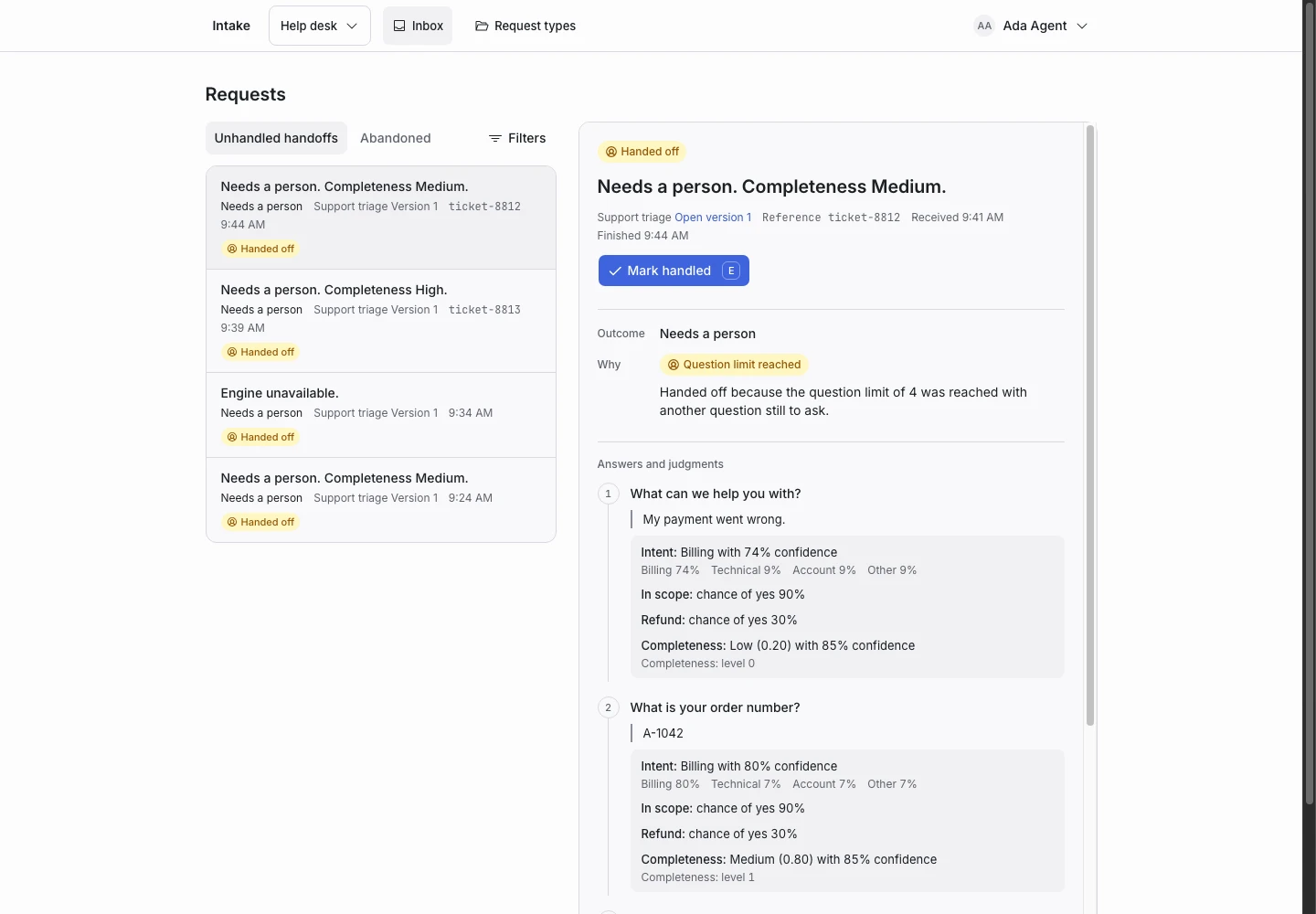
Product screen with sample data. Intake is the previous working name.
The incoming request
A sample request:
“I saw the two-bedroom flat on Rose Street online. Could I view it on Thursday after work?”
People who want to see a property write from a listing. Some also make an offer or ask to apply in the same message. Put the Public link on each listing.
Set up the request type
Start from the Booking requests template in the Front desk group, and adapt it.
- Rewrite the first question's help for viewings: “Tell us which property and when you could come.”
- Rename New booking request to Viewing request, and rewrite its reply.
- Delete the group question, the override and the outcome Group booking request. A viewing is for one household. Remove the large-group condition from Hand off when, and change Complete when so a new viewing waits for the property and the times. Checks lists any rule that still names the deleted question.
- Add a written-answer follow-up question, “Which property would you like to view?”, and ask it for new bookings.
- Keep the Regulated request signal and its condition in Hand off when. Do not change them.
Keep a person on the decision
A tenancy or a sale has a significant effect on the person who asks. In this use, a completed request only books a viewing or routes the request. It never turns anyone down.
Every offer and every tenancy application hands off. A person reads it and decides, and a person answers. Do not add an outcome that refuses a viewing, an offer or an application. If you add one, you take on the duties described on the privacy page and in sensitive decisions.
Collect enough detail
- “Which property would you like to view?” for new viewings.
- “Which days and times would suit you?” for new viewings.
- “What is your booking reference?” for changes and cancellations.
Show why the request ended
| Outcome | Outcome reply |
|---|---|
| Viewing request (renamed) | Yes |
| Change or cancellation | Yes |
| Needs a person | No |
The reply of Viewing request says that a person confirms the time. A request with an offer or an application ends as Handed off, and the Inbox shows the reason.
Test before publication
The template's examples include an offer on a flat, a tenancy application, and “This is only a booking, not an offer” followed by an offer. All three expect Needs a person. Add your own viewing requests. Select Replay, then Publish.
