
AI request triage with rules you control
Use focused AI to judge incoming text, then apply rules that your team can inspect.
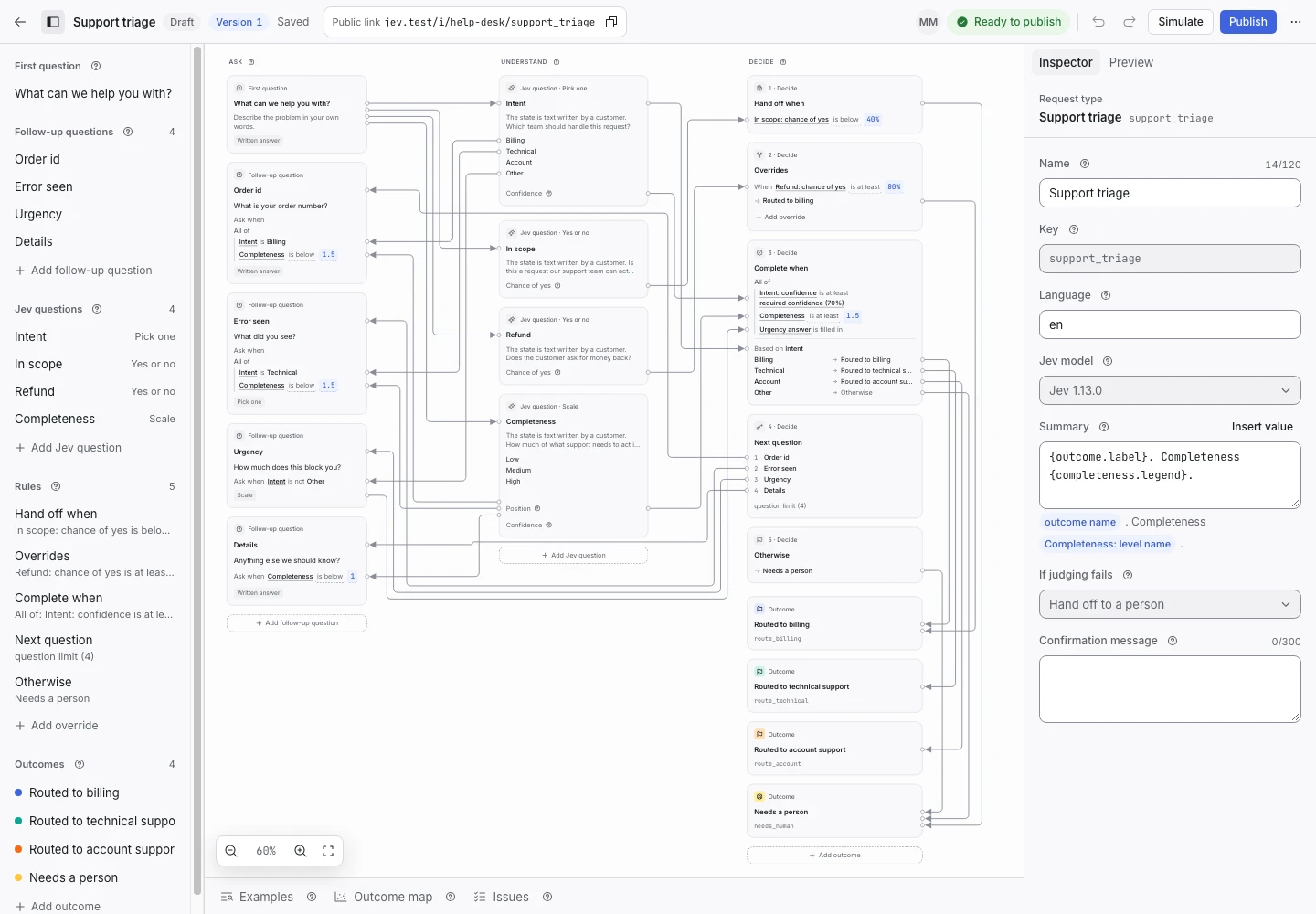
Product screen with sample data. Intake is the previous working name.
Start with the outcome
Choose one kind of request your team already handles. Name the possible outcomes before you write a question.
For support, those outcomes might be Billing, Technical support, and Needs a person. Each outcome should tell the team what to do next.
Give AI a bounded task
Use Jev to judge text against written criteria. A criterion can ask which topic best fits or whether a request falls within your service.
Keep the model’s task narrow. Your published rules use the judgment values to choose the next step. The model does not write questions, summaries, or new rules.
Ask for the missing detail
A request that mentions a payment problem may need an order number. A technical problem may need the error message.
Write those follow-up questions in advance. Set a rule for when each one appears. Test that the request cannot complete without a detail your team needs.
Measure with examples
Keep examples of clear requests, vague requests, and requests outside the service. Give each one an expected outcome.
When you change a threshold, check which examples move. A lower handoff rate has little value if the software sends more requests to the wrong outcome.
Keep the handoff
A request can be incomplete, out of scope, or too uncertain. A handoff gives a person the original text and the reason the rules stopped.
Start with your first request type, then check examples.
