
Take reports of suspicious email
Let staff report a suspicious email in their own words, and send anyone who typed a password or made a payment to a person.
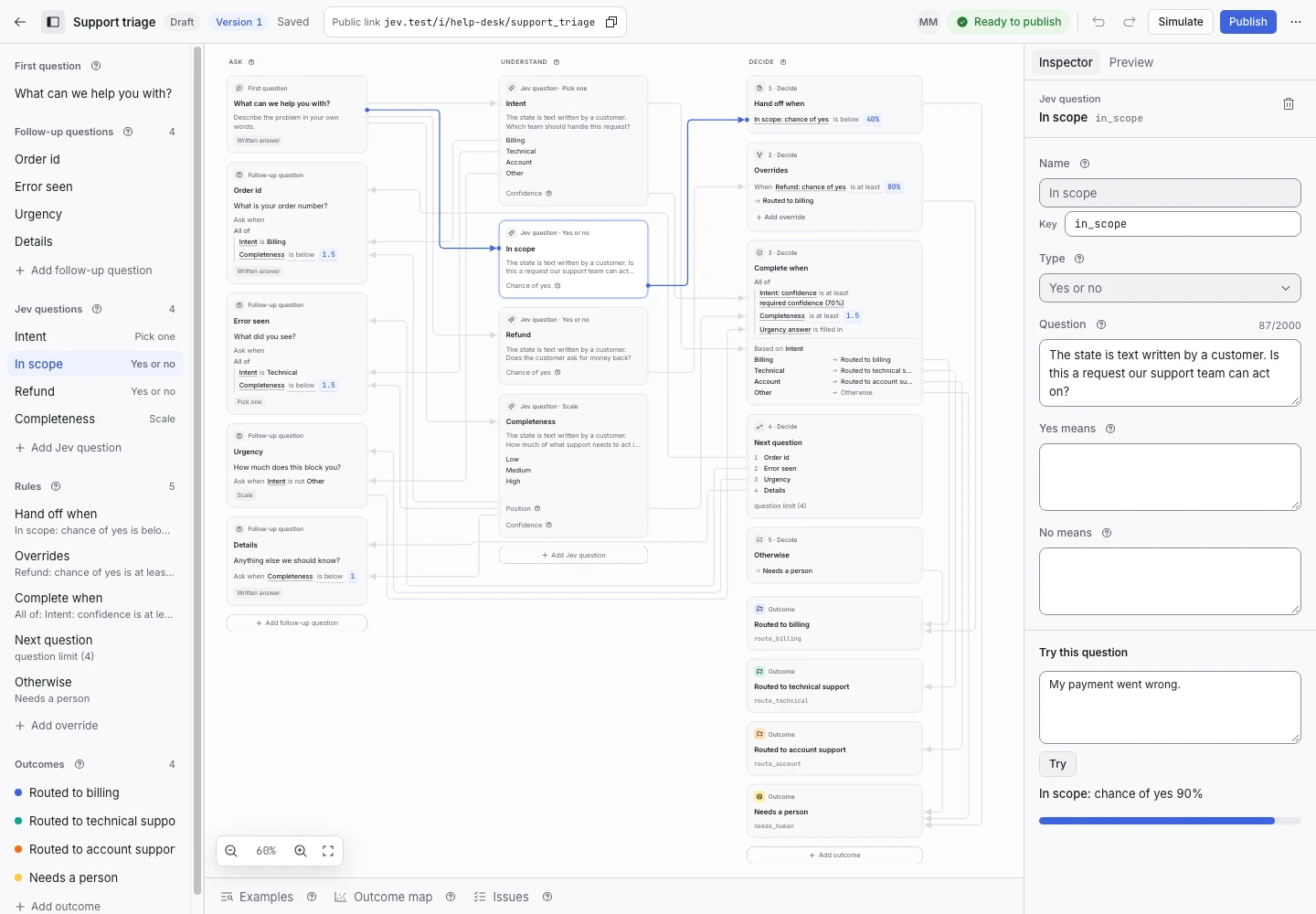
Product screen with sample data. Intake is the previous working name.
The incoming request
A sample request:
“I entered my work password into a link from an email and now think it was a fake sign-in page.”
Staff who see a strange email often do not know whether it matters. Give them one place to say so. Put the Public link on the intranet's security page and in your security training. Staff describe the email in the first answer. ClientStack never opens or reads an attachment.
Set up the request type
Create a separate request type from the IT helpdesk template in the IT group, and name it “Suspicious email”.
- Add an option named Suspicious email to the Issue kind signal. Describe it as “A message that may be phishing, fraud or malware.”
- Add an outcome named Sent to security, and map Suspicious email to it in Outcome for each answer.
- Keep the Sensitive access signal. It already treats a password typed into a suspicious site, and a payment to a suspicious sender, as reasons to hand off.
Use Try this signal on Sensitive access with your own sample text before you continue.
Collect enough detail
Add a pick-one follow-up question: “Did you click a link, open an attachment, type a password or make a payment?” Give it the options No, I only read it; I clicked a link; I typed a password or made a payment. Add a Hand off when condition for the last option.
Show why the request ended
| Outcome | Outcome reply |
|---|---|
| Sent to security (you add it) | Yes, you write it |
| Sent to accounts and access | Yes |
| Sent to device support | No |
| Sent to application support | Yes |
| Sent to network support | Yes |
| Needs a person | No |
A report where someone typed a password or made a payment hands off. The security team sees it first in the Inbox. Write the reply of Sent to security so it says what to do now, for example “Delete the message. Do not forward it.”
Test before publication
Add examples for a strange invoice that nobody opened, a clicked link, a typed password and a payment to a new bank account. The last two expect Needs a person. Select Replay, then Publish.
