
Sort support requests
Collect the context for billing and technical support, with a clear route to human review.
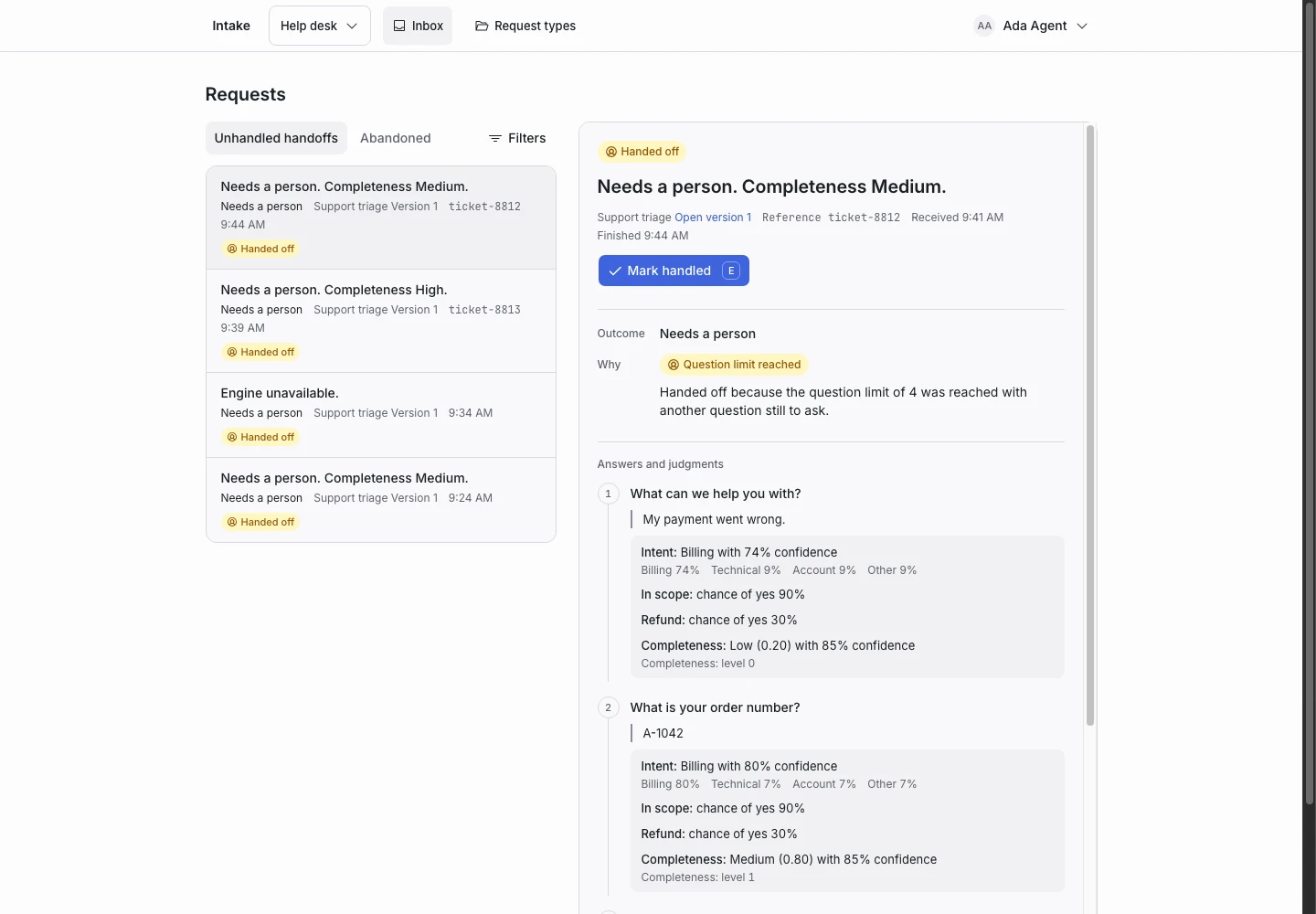
Product screen with sample data. Intake is the previous working name.
The incoming request
“I was charged twice for order A-1042.”
The person should not need to understand your internal team structure. Let them describe the problem, then check the text against the criteria your team wrote.
Set up the request type
Start with the Support triage template. Review its intent, scope, refund, and completeness criteria.
Map outcomes to the work your team does. Keep Needs a person for requests the rules cannot settle.
Collect enough detail
Add an order-number question for billing. Add an error-message question for technical support. Ask about impact if it changes how your team handles the request.
Only require detail that the team needs. Set the completion rule so it waits for that detail.
Show why the request ended
The inbox shows the applicant’s answers and the recorded judgments. Agents can inspect the handoff reason and the published version.
A request’s outcome does not create a ticket elsewhere. Use an API integration if you want to connect your helpdesk.
Test before publication
Test a duplicate charge, an unclear payment complaint, a failed login, and an unrelated request. Check both complete outcomes and human handoff.
Follow the first request type guide.
