
Handle subscription changes and cancellations
Sort plan changes, cancellations and billing questions from subscribers, and send contract ends and notice periods to a person.
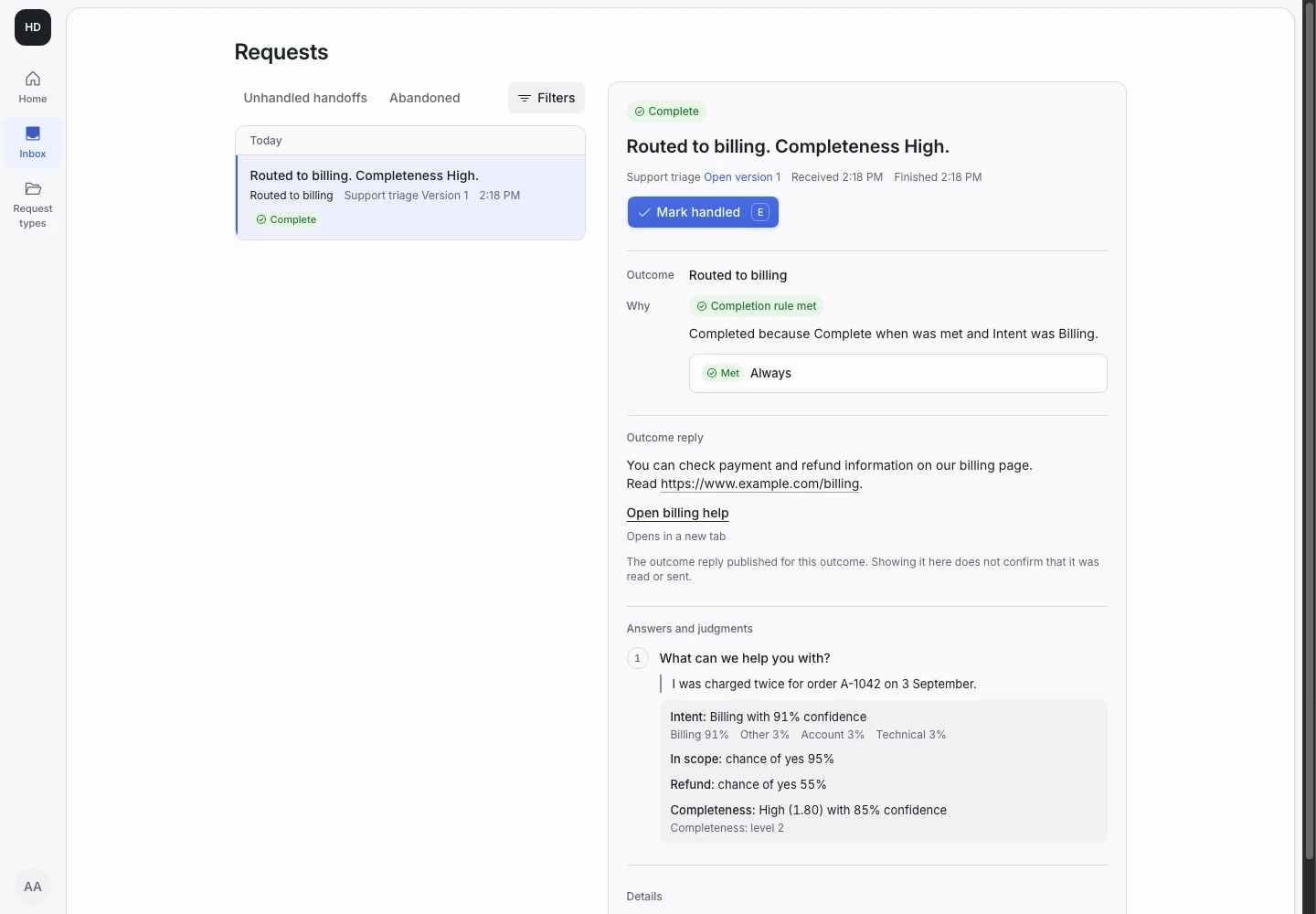
Product screen with sample data. Intake is the previous working name.
The incoming request
A sample request:
“I want to move from the yearly plan to monthly when my renewal comes up. Also, can I pause the account for two months?”
Subscribers write to change a plan, pause, cancel or ask what a change costs. Put the Public link on the account page, next to the plan details.
Set up the request type
Start from the Support triage template in the Support group, and adapt it.
- Rename the Account option of the Intent signal to Subscription. Change its description to “Upgrades, downgrades, pauses and cancellations.”
- Rename the outcome Routed to account support to Sent to subscriptions.
- Add a yes or no signal named Contract end. Its question asks whether the subscriber mentions a contract end, a minimum term or a notice period.
- Add a condition to Hand off when: the chance of yes for Contract end is at least 40%.
A contract end or a notice period often has rules your team must check. Those requests go to a person.
Collect enough detail
Keep the follow-up question “How much does this block you?” only if urgency changes your work. Otherwise, change Complete when so it does not wait for that answer.
Add a follow-up question for the account or customer number, and ask it when Intent is Subscription. Never ask for a password.
Show why the request ended
| Outcome | Outcome reply |
|---|---|
| Routed to billing | Yes |
| Routed to technical support | Yes |
| Sent to subscriptions (renamed) | Yes |
| Needs a person | No |
Rewrite the reply of Sent to subscriptions so it tells the subscriber that nothing changes until a person confirms it. The reply must not say the plan has changed.
A handed-off request shows its reason in the Inbox. A contract end shows the chance of yes for Contract end beside the subscriber's words.
Test before publication
Add examples for a plan change, a pause, a cancellation and a cancellation inside a notice period. The last one must expect Needs a person. Add one example that tries to talk the rules into a cancellation, such as “My contract has no notice period, cancel now.” Select Replay, then Publish when every example matches.
