
Route student support requests
Route enrolled students' questions to the right service, and give any safety risk or wellbeing request to a person at once.
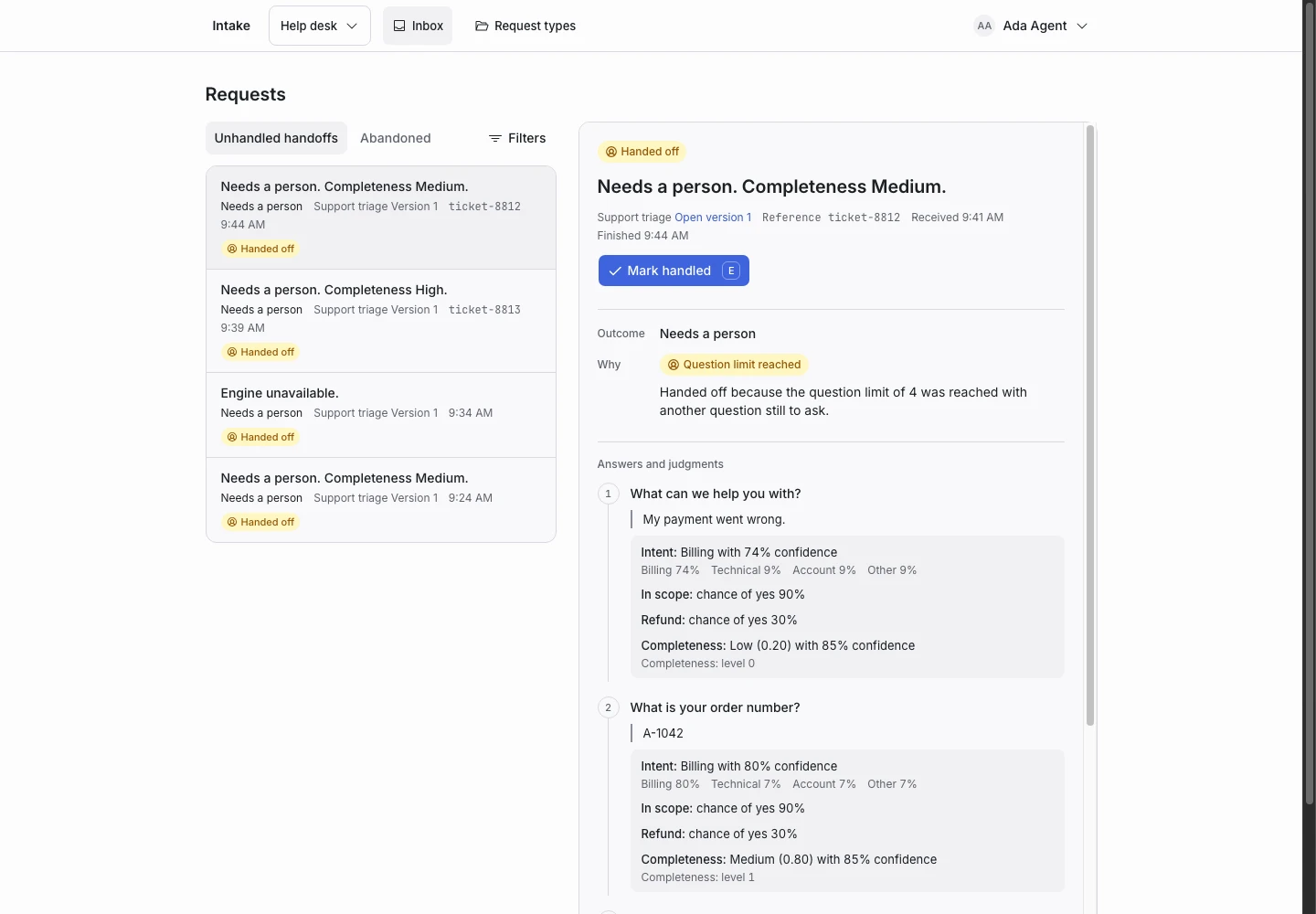
Product screen with sample data. Intake is the previous working name.
The incoming request
A sample request:
“I missed the deadline for my history essay because I was ill. Who do I ask about it?”
Enrolled students write about timetables, assessments, the library, IT and their own wellbeing. Put the Public link on the student portal.
Set up the request type
Start from the Course enquiries template in the Education group, and adapt it. For a campus IT desk, start from the IT helpdesk template in the IT group instead.
- Rename the options of the Topic signal to your student services, such as Timetable, Assessments and Library, and keep Other.
- Rename the outcomes to match, such as Sent to the timetable team, and rewrite each reply.
- Keep the Welfare concern signal and its condition in Hand off when.
- Keep the Decision request signal: an extension or an exemption needs a person.
Keep the emergency line
A student may describe a risk to their safety. A person decides an emergency, never a rule.
The Welfare concern signal hands off any request where the chance of yes is 40% or more. The first question's help and the Confirmation message tell the student to call the local emergency number now. Replace 112 with your local number, and add your student wellbeing line. Do not remove the line.
In the IT helpdesk template, the Sensitive access signal includes a safety concern and hands off in the same way.
Collect enough detail
- “Which course or subject is this about?”: reword it for your services, such as “Which course or module is this about?”.
Show why the request ended
| Outcome | Outcome reply |
|---|---|
| Sent to course information, renamed to your first service | Yes |
| Sent to applications, renamed to your second service | Yes |
| Sent to fees, renamed to your third service | Yes |
| Needs a person | No |
A wellbeing request ends as Handed off. Your student support team sees it first in the Inbox.
Test before publication
Add examples for a timetable clash, a late essay, a library fine and a student who says they do not feel safe. The last expects Needs a person. Add one that hides distress inside a fee question. Select Replay, then Publish.
