
Answer policy changes and questions
Route insurance policy questions to the right team, and send changes to cover or price, and cancellations, to a person.
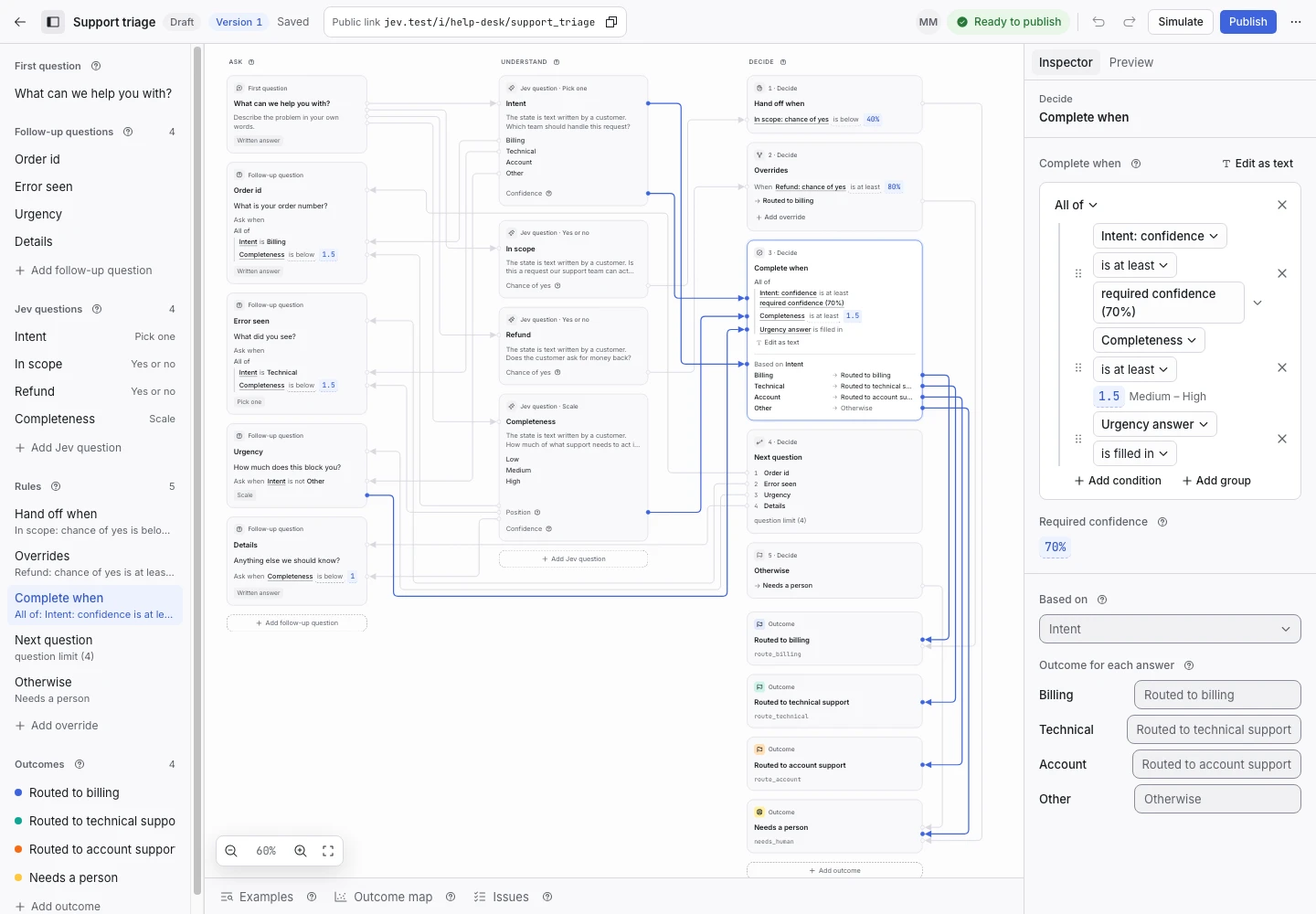
Product screen with sample data. Intake is the previous working name.
The incoming request
A sample request:
“We are moving house on the first of next month. What do I need to do about my home policy?”
Policyholders write to change an address, add a driver, ask what their policy covers or cancel it. Share the Public link in your policyholder portal.
Set up the request type
Start from the Support triage template in the Support group, and adapt it.
- Rename the options of the Intent signal: Billing stays, Technical becomes Policy details, and Account becomes Portal access. Rewrite each description in your own words.
- Rename the outcomes to match: Routed to billing, Sent to policy service and Sent to portal support.
- Add a yes or no signal named Cover or price change. Its question asks whether the policyholder asks to change what the policy covers, to change the premium, or to cancel the policy.
- Add a condition to Hand off when: the chance of yes for Cover or price change is at least 40%.
A change to cover or price, and a cancellation, go to a person. A person checks the policy and answers.
Collect enough detail
Replace “What is your order number?” with “What is your policy number?” and ask it for every request except Other. Delete “What did you see?”, which is for technical faults.
Show why the request ended
| Outcome | Outcome reply |
|---|---|
| Routed to billing | Yes |
| Sent to policy service (renamed) | Yes |
| Sent to portal support (renamed) | Yes |
| Needs a person | No |
Rewrite each reply so it says what happens next. A reply must not confirm a change to the policy.
Test before publication
Add examples for an address change, a question about cover, a request to add a driver, and a cancellation. The cancellation and the request to add a driver change cover or price, so they expect Needs a person. Add an example that says “This does not change my premium” and then asks for more cover. Select Replay, then Publish.
